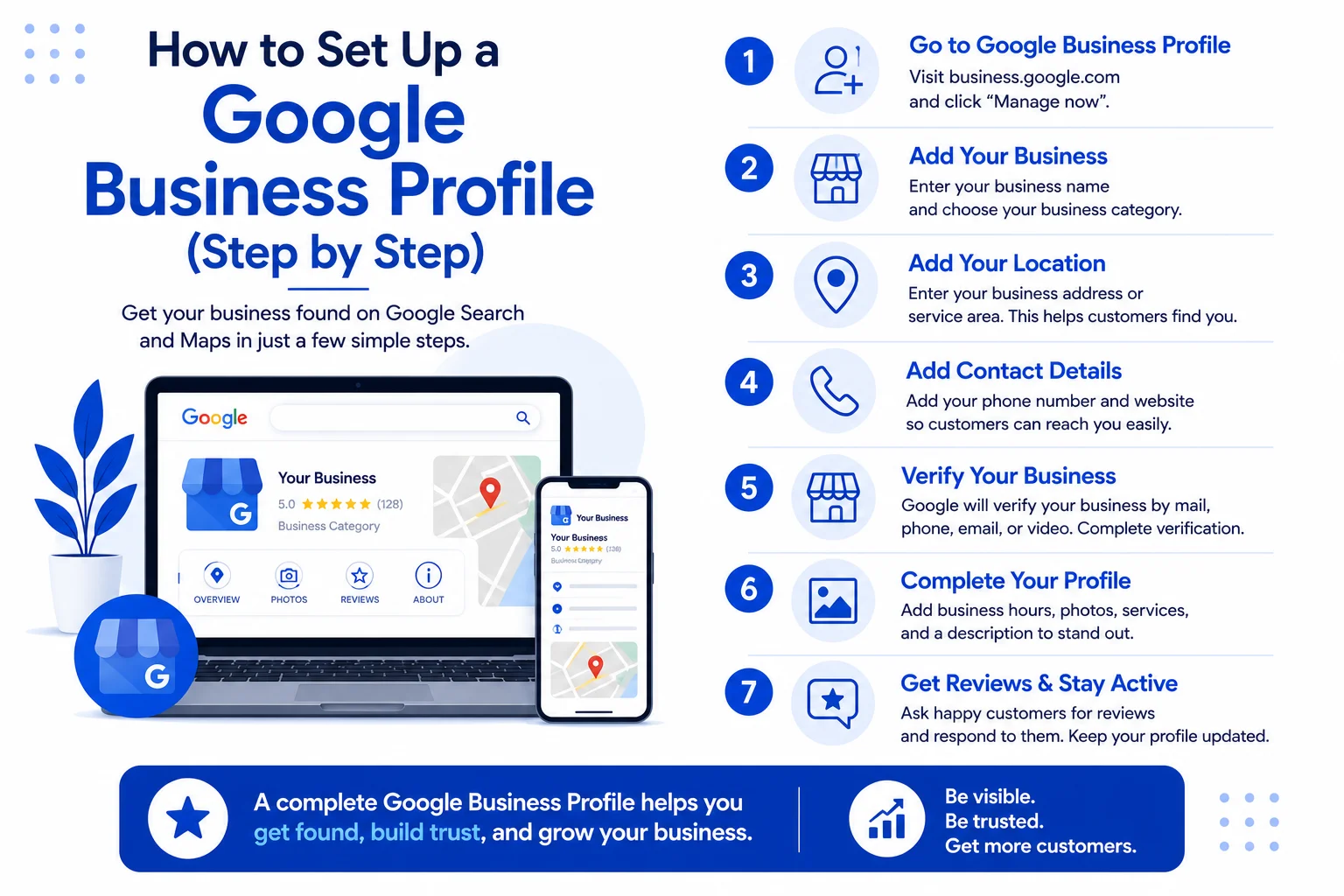
If you run a local business, your Google Business Profile (GBP) is the single most important free tool you have. It’s how people find you on Google Maps and in local search results.
Here’s how to set it up in 6 steps:
Step 1: Claim Your Profile
Go to google.com/business and sign in with your Google account. Search for your business. If it already exists, claim it. If not, click “Add your business” and fill in the details.
Step 2: Verify Your Business
Google will send you a postcard with a verification code to your business address. This usually takes 5-10 business days. Enter the code in your GBP dashboard to verify.
Step 3: Complete Every Section
Fill in your business name, address, phone number, website, hours, and category. The more complete your profile, the higher you rank.
Step 4: Add Photos
Businesses with photos get 42% more requests for directions and 35% more clicks to their website. Add at least 10 high-quality photos of your business, products, or team.
Step 5: Collect Reviews
Ask satisfied customers to leave a review. Respond to every review — good or bad. Reviews are the #1 factor in local search rankings.
Step 6: Post Regularly
Treat your GBP like a social media account. Post updates, offers, events, and photos. Active profiles rank higher and get more engagement.
Need Help?
I set up and optimise Google Business Profiles for local businesses. It takes me 30 minutes and the results last for years.
Call: 067 863 2867
Email: hello@mvisionweb.co.za